One Skill Library
See your main library, installed Skills, and system Skills in one Finder-like workspace.
Manage, understand, and sync Skills across every Agent.
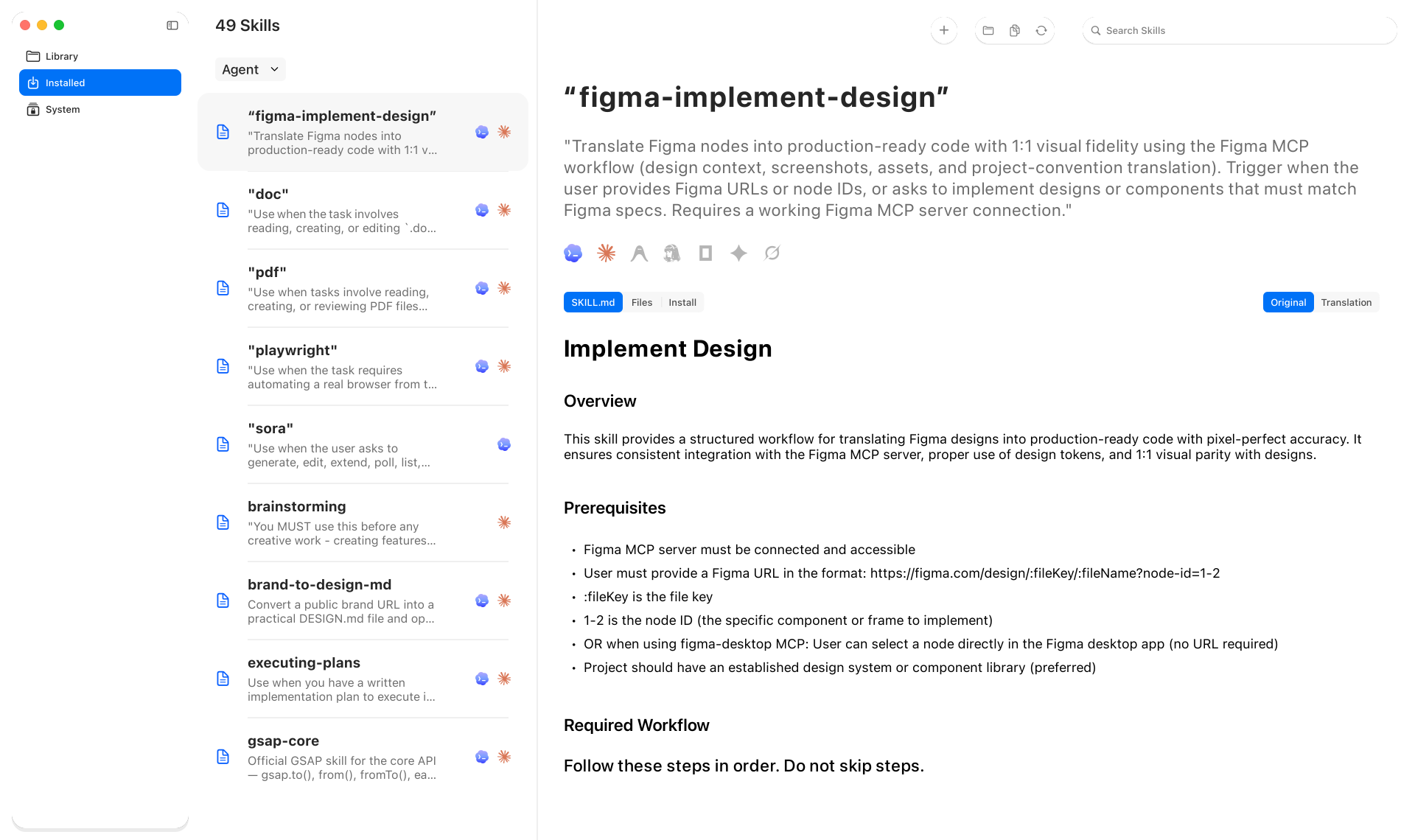
Keep your own Skill library as the source of truth, then install each Skill safely wherever you need it.
See your main library, installed Skills, and system Skills in one Finder-like workspace.
Import a local Skill folder or public GitHub repository with preview and conflict protection.
Install or remove exact Skill copies across configurable Agent targets without touching your source library.
Preview GitHub changes before updating, with protection when your local Skill has been edited.
Switch between the original SKILL.md and a Chinese translation generated with your DeepSeek API key.
Skill files, notes, and settings stay on your Mac. SkillDock is free and MIT-licensed.
Free and open source. Requires macOS 26 or later.
Latest v0.5.0 · Released June 2026
SkillDock is currently distributed as a ZIP file through GitHub Releases.
Open the latest GitHub Release, download SkillDock-0.5.0.zip, then unzip it.
Move SkillDock.app to Applications, open it, then configure the Agent targets you use in Settings.
Codex and Claude Code are enabled by default. You can also configure Gemini, OpenCode, Grok, Antigravity, Hermes, and custom Agent Skill directories.
SkillDock copies a selected Skill from your main library to the Agent directories you choose, with conflict checks and safe removal.
Skill files, notes, and settings stay local. Only the optional translation feature sends the selected SKILL.md content to DeepSeek using your own API key.
SkillDock requires macOS 26 or later.
Yes. SkillDock is free and MIT-licensed open source.